
A Virtual Coach that Can Improve Performance in the Flow of Work
A Virtual Coach is a guided, conversational performance tool that supports learners where they work. It can reinforce learning after training, provide just in time guidance during real tasks, and coach someone through scenarios and decisions. It’s not just a “search box with personality.” It’s designed with instructional intent so it helps people learn, apply, and retain.


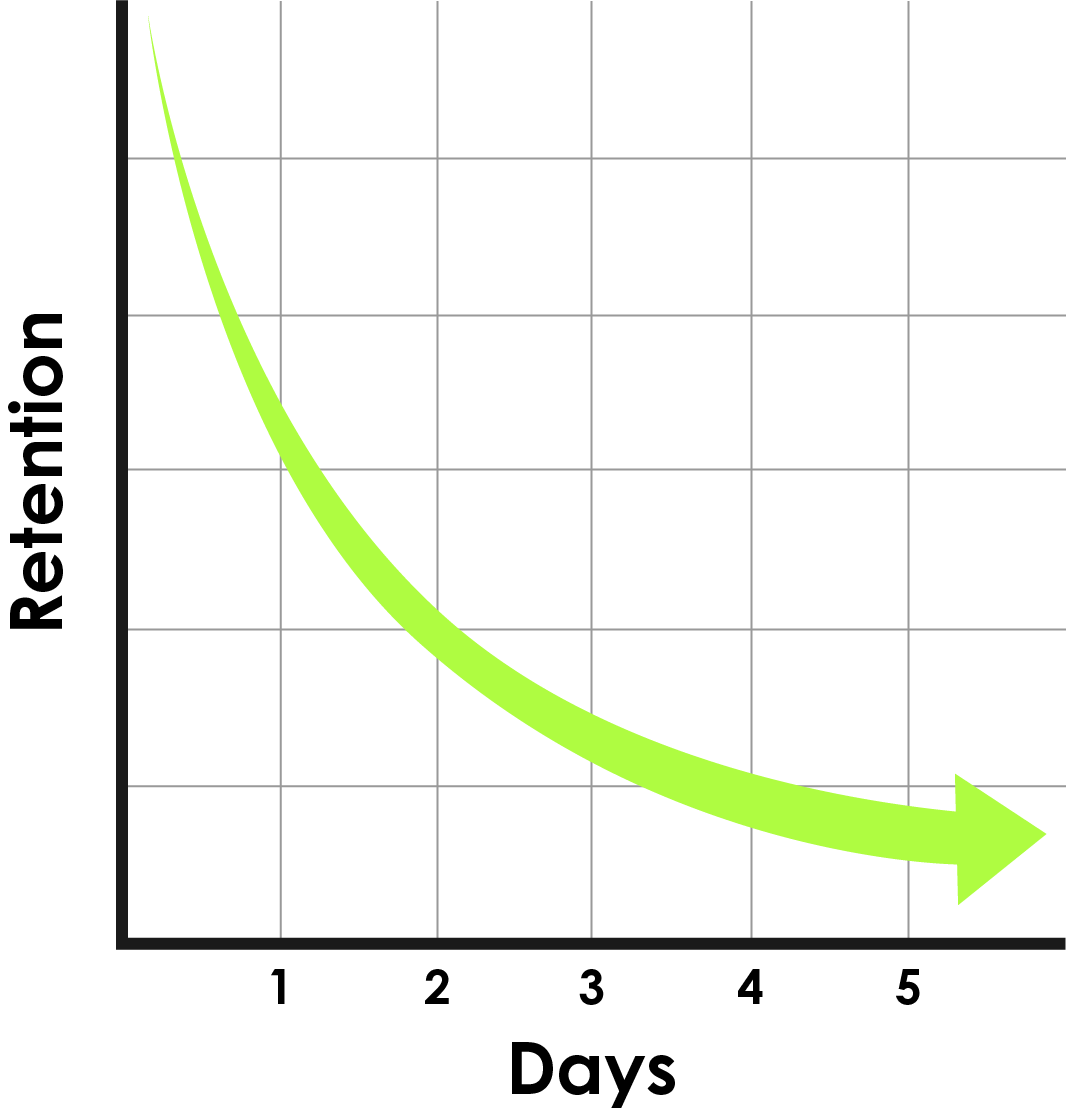
What Problem Does a Virtual Coach Solve?
Learners forget up to 50% of the information they see in a course within 20 minutes to 1 hour. Hermann Ebbinghaus’ classic research on forgetting shows that retention drops quickly after learning without reinforcement. His research also found that spaced repetition after a learning event helps combat the forgetting curve.
At Cinecraft, we recognize that the learner’s journey is only just beginning after completing a course. So we have teamed up with the enterprise platform Mobile Coach to offer our customers Virtual Coaches. These coaches are designed to support learners after a training event and in the flow of work.
Cinecraft provides instructional design to analyze and design the learners’ experience while Mobile Coach provides the enterprise platform that offers tooling to define guardrails, manage content, control AI behavior, monitor usage, and iteratively improve the Virtual Coach experience over time.
What are Common Virtual Coach Use-Cases?
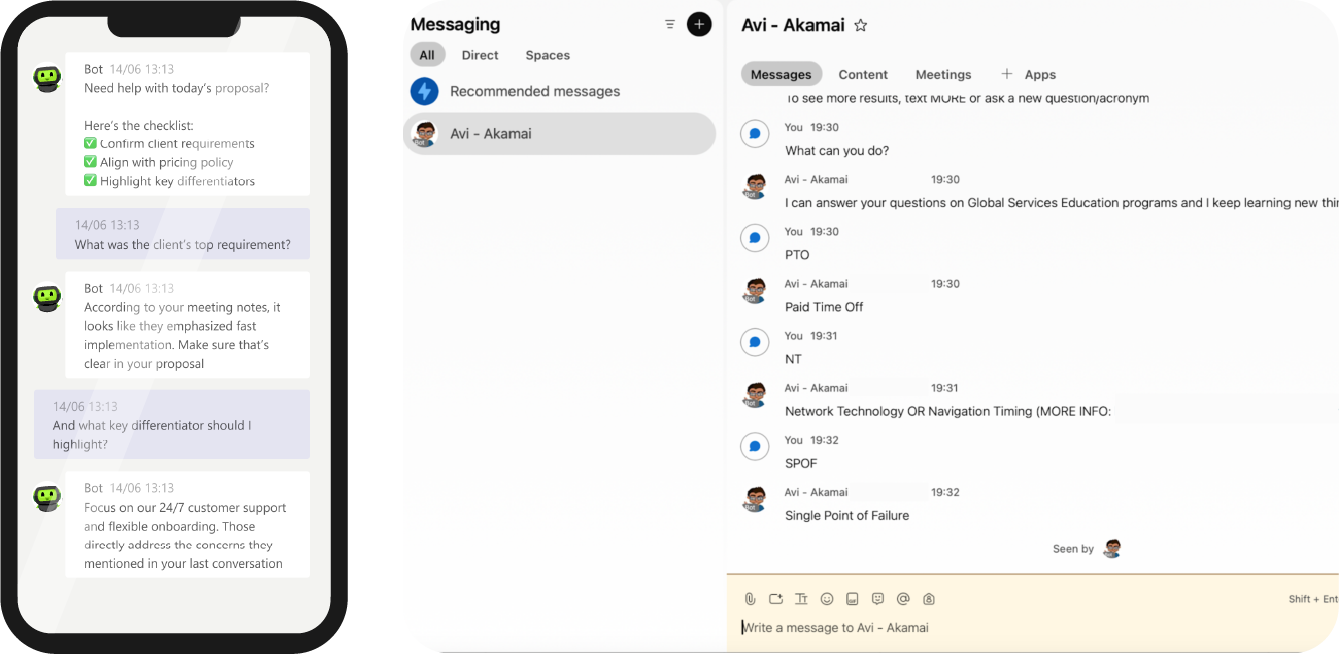
Each Virtual Coach solution is customized to your goals, audience, and workflow. Learners can ask it questions in the flow of work or receive the following reinforcement experiences:
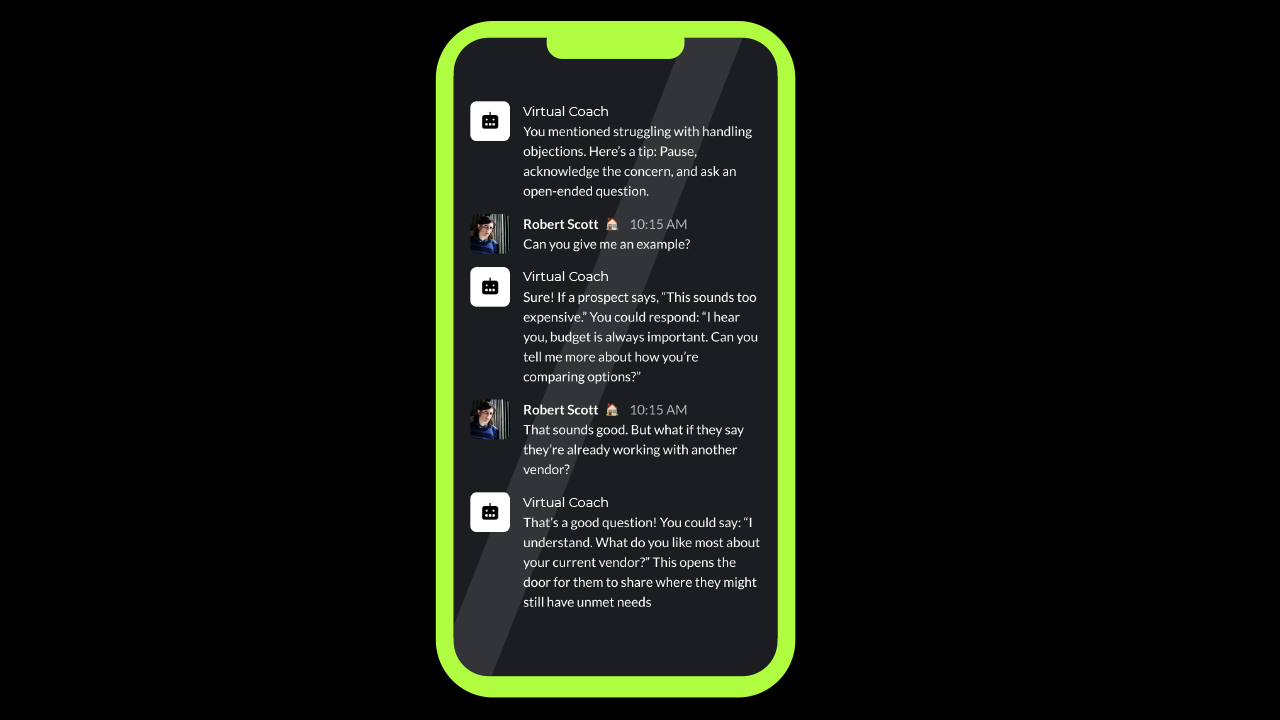
Text Messages and Emails
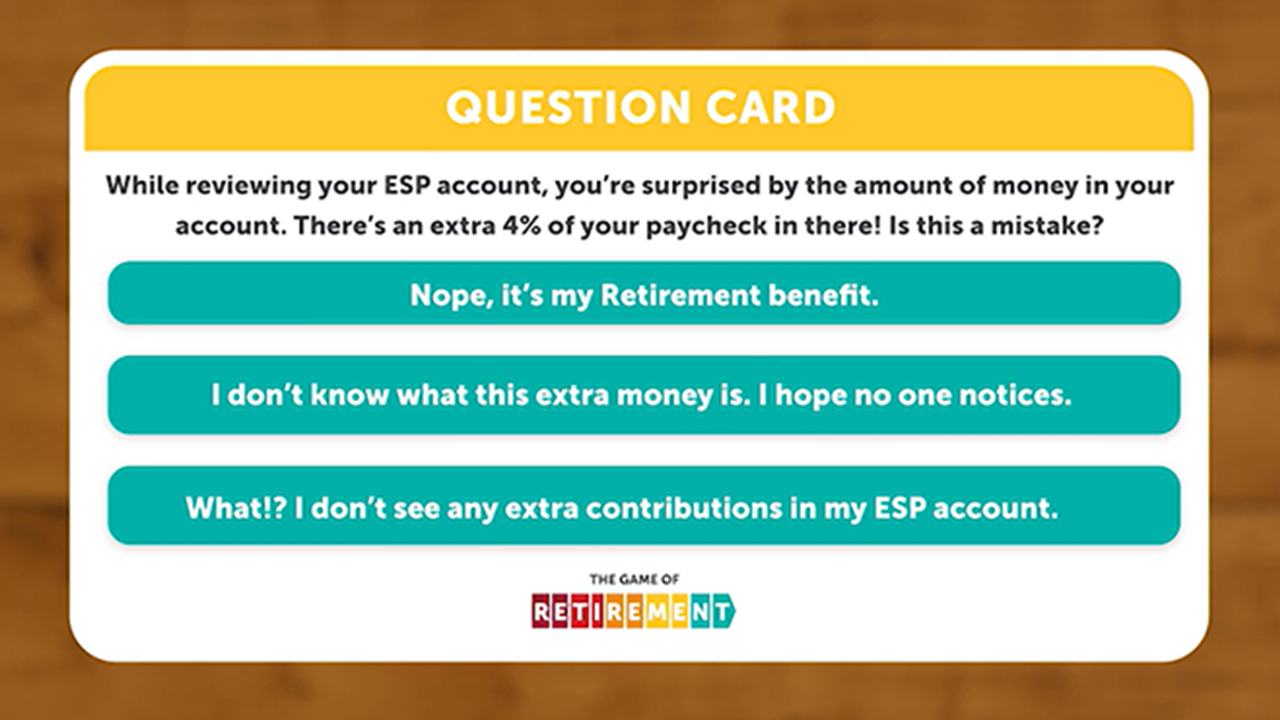
Scenarios and Guided Practice

On-the-Job Video Tutorial
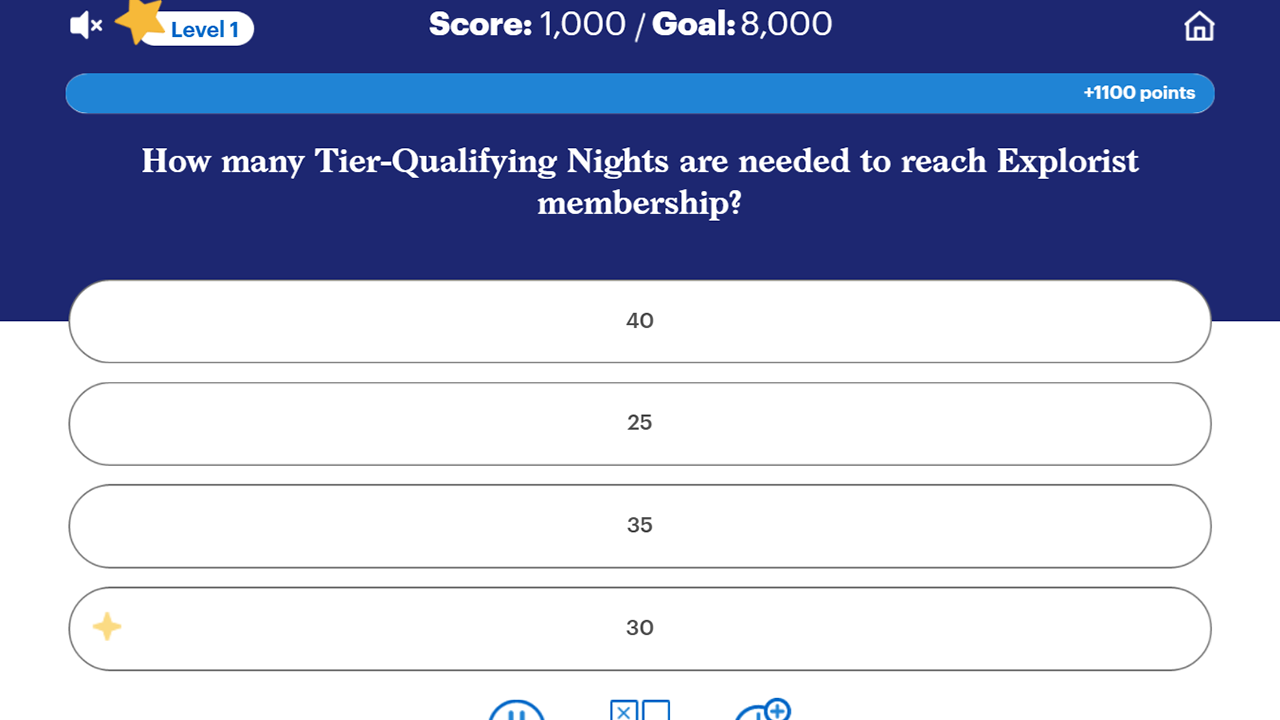
Microlearning and Games
Quick Reference Guides and Job Aids
All of these experiences offer learners spaced repetition and ongoing skills practice at a cadence you define.
What are Key Features of the Virtual Coach?
Reach people where they work
Deploy across Microsoft Teams, Slack, SMS, WhatsApp, web widgets, and browser extensions.
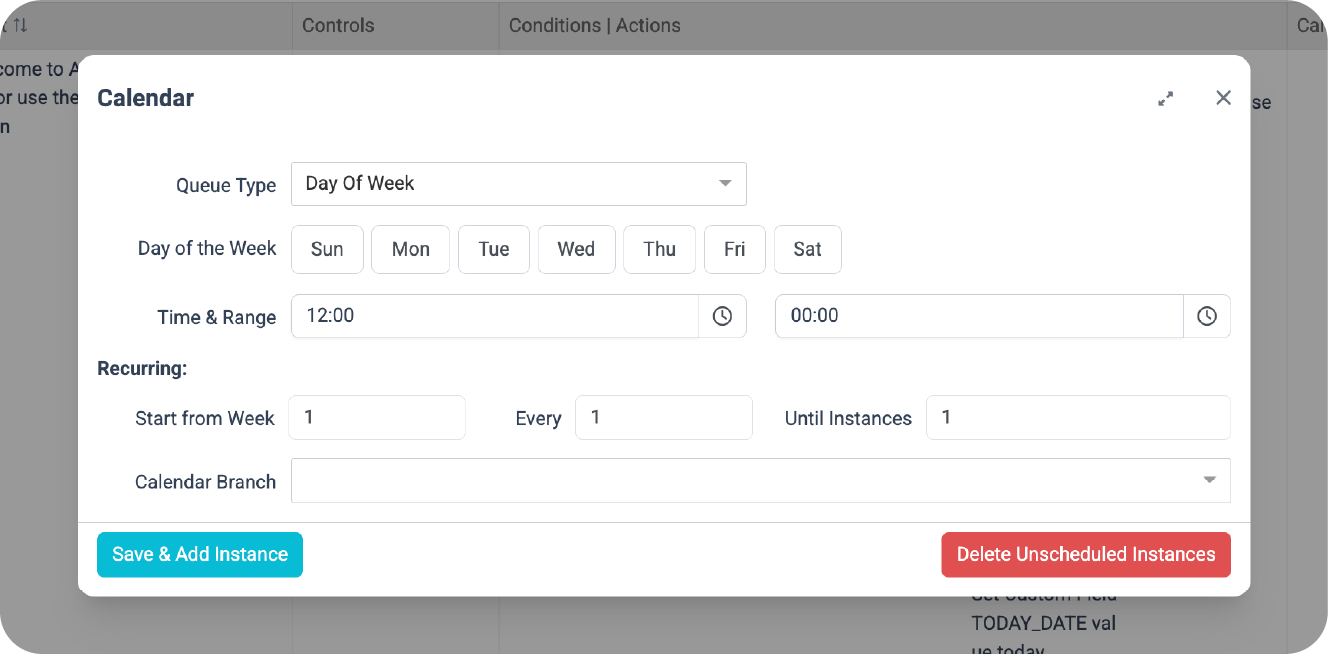
Scheduling
Scheduling nudges, check-ins, and mircolearning boosts to reinforce key behaviors at any cadence.
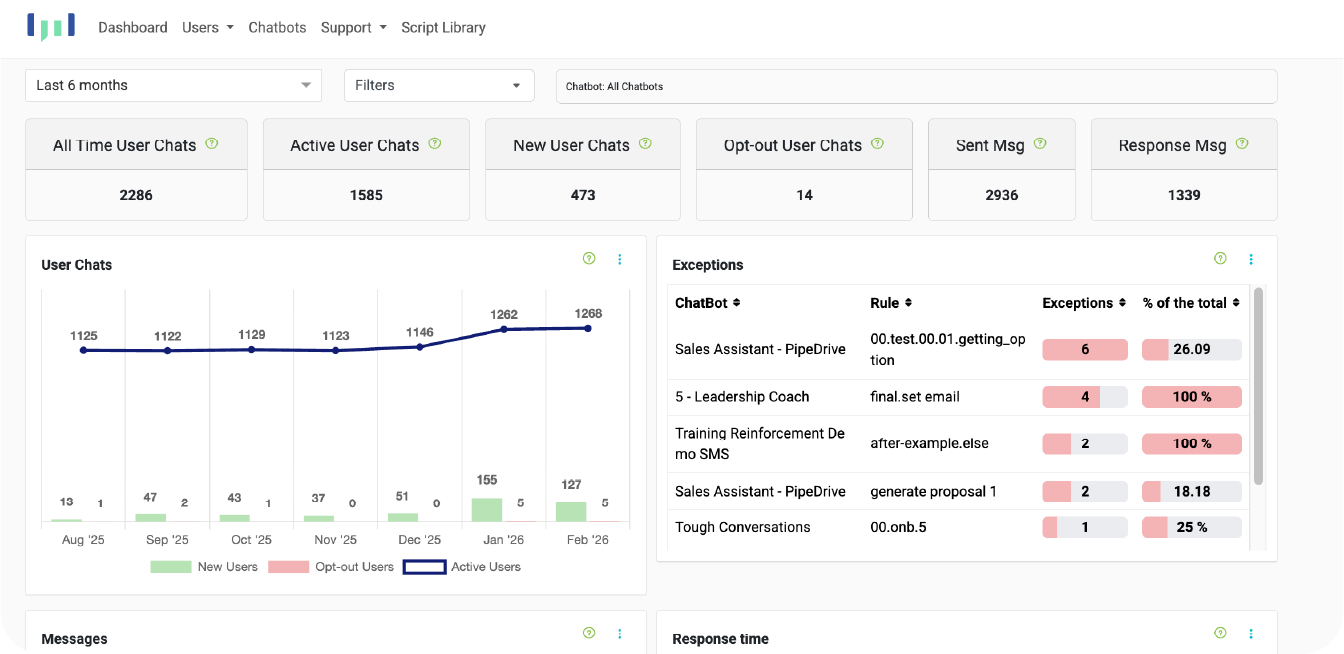
Measure what matters
Track usage, engagement, learning outcomes, and performance gaps with built-in analytics and reporting.
Built with enterprise security in mind
The Mobile Coach platform applies security practices aligned with its ISO/IEC 27001-certified Information Security Management System.

AI with guardrails
We call it Managed-AI. Use system-wide or use-case-specific logic so the coach responds only with curated, approved content and no AI hallucinations.
Connect to your ecosystem
Integrate with your LMS, CRM, HRIS, calendars, and more through APIs.
What are the benefits of a Virtual Coach?
Our customers deploy a Virtual Coach to drive outcomes like:
Faster ramp-up time for new hires and frontline roles
Higher retention of critical knowledge and behaviors after training
Fewer mistakes and rework through clearer task guidance and process adherence
More consistent customer experiences across representatives, regions, and shifts
Lower customer service and IT support burden
How do we get started?
A pilot is the fastest way to validate value, reduce risk, and build internal momentum.
1
Discover and Align
We define the business problem, target audience, and key moments of need.
2
Pilot and Launch
We design the conversation, ground it in approved content, apply guardrails, and launch in one channel.
3
Measure and Scale
We measure usage and engagement data to optimize the experience, then expand to more topics, roles, and channels.
Ready to explore a pilot?
Click here and ask about the Virtual Coach.
FAQs
How is a Virtual Coach different from a generic chatbot?
A Virtual Coach is designed to improve performance through reinforcement, practice, and guided workflows. The instructional strategy, content grounding, and guardrails are what make it effective, not just the technology.
What does it cost and how long does it take to customize?
Cost and timeline vary based on the custom learning objects developed, number of channels, integrations, and guardrails. After a short discovery period/session, we can give a practical estimate and propose a pilot that fits your constraints.
How is AI used in the Mobile Coach platform?
AI usage within the Mobile Coach platform is intentionally flexible and depends on how each customer chooses to design their Virtual Coach. Some organizations use the Mobile Coach platform to build fully deterministic coaches with no AI at all, while others incorporate AI selectively to support natural language dialogue, reflection, or coaching-style interactions. The Mobile Coach platform is designed to support this full spectrum of approaches.
Rather than forcing a single AI-first model, the platform enables customers to decide where AI adds value and where deterministic logic is more appropriate. This allows organizations to balance creativity and flexibility with consistency, risk management, and control, depending on the use case.
Is the Mobile Coach platform its own large language model (LLM)?
No. The Mobile Coach platform is not a large language model. We describe it as Managed-AI.
The Mobile Coach platform is independent of any LLM. The platform orchestrates logic, content, user experience, and integrations without using an LLM. An LLM is integrated only if requested, to offer the learner natural language dialogue preferences when communicating with the platform. This separation allows organizations to benefit from advances in AI models while maintaining control over the content and how those models are used within a governed, purpose-built experience.
What guardrails are in place?
Guardrails are implemented through a combination of human-designed logic, system instructions, and deterministic rules that define what the Virtual Coach can and cannot do. These guardrails help to govern the tone, scope, content boundaries, escalation behavior, and when AI should or should not be used.
Because these controls are explicitly designed and maintained, the Virtual Coaches’ behavior is not left to AI interpretation alone. This ensures that the experience remains aligned with organizational expectations, program intent, and acceptable use policies.
What information is shared with AI models?
Only the information required to generate a specific response is shared with an AI model at runtime. The Mobile Coach platform has full control over how the context window is constructed, including which instructions, content, and user inputs are packaged and sent to an LLM via API.
The Mobile Coach platform uses AI providers whose API terms and conditions specify that data sent via API is not stored or used for model training. This ensures that customer data is processed transiently for response generation and not retained by the AI provider.
How is user data stored and protected?
User data is stored within the Mobile Coach Platform using secure, enterprise-grade infrastructure and access controls. Data is protected through role-based permissions, authentication mechanisms, and operational safeguards designed to prevent unauthorized access or misuse.
When AI is involved, only the minimum information required to generate a response is sent to an AI model via API, processed transiently, and not retained by the AI provider. The Mobile Coach platform maintains control over data handling and applies security practices aligned with its ISO/IEC 27001–certified Information Security Management System.
How is privacy handled?
Privacy is handled through configurable access controls, role-based permissions, and data-handling practices aligned with enterprise expectations. Organizations retain ownership of their data and control how it is collected, processed, and accessed within the Virtual Coach experience.
The Mobile Coach platform is designed to minimize data exposure by sharing only what is necessary for functionality and by allowing customers to define authentication, visibility, and administrative access policies appropriate to their use case.
Can the Virtual Coach proactively engage users?
Yes, but only when explicitly designed to do so.
Proactive engagement—such as reminders, nudges, reflections, or check-ins—is configured intentionally within the platform. These interactions are triggered by defined conditions or schedules, not autonomously initiated by the AI, ensuring that proactive messaging aligns with program goals and organizational intent.
How is the Mobile Coach platform monitored over time?
The Mobile Coach Platform includes built-in reporting dashboards that allow administrators to monitor usage, engagement trends, and overall system performance over time. These dashboards help organizations understand how their Virtual Coach is being used, where users may be encountering friction, and how effectively the experience is supporting program goals.
In addition, the platform maintains User Logs, which serve as an audit record of Virtual Coach interactions. These logs make it possible to trace how responses were generated, including the underlying logic paths, deterministic rules, and AI-generated components involved in each interaction. This supports governance, quality assurance, and ongoing refinement by providing transparency into both content origination and system behavior.